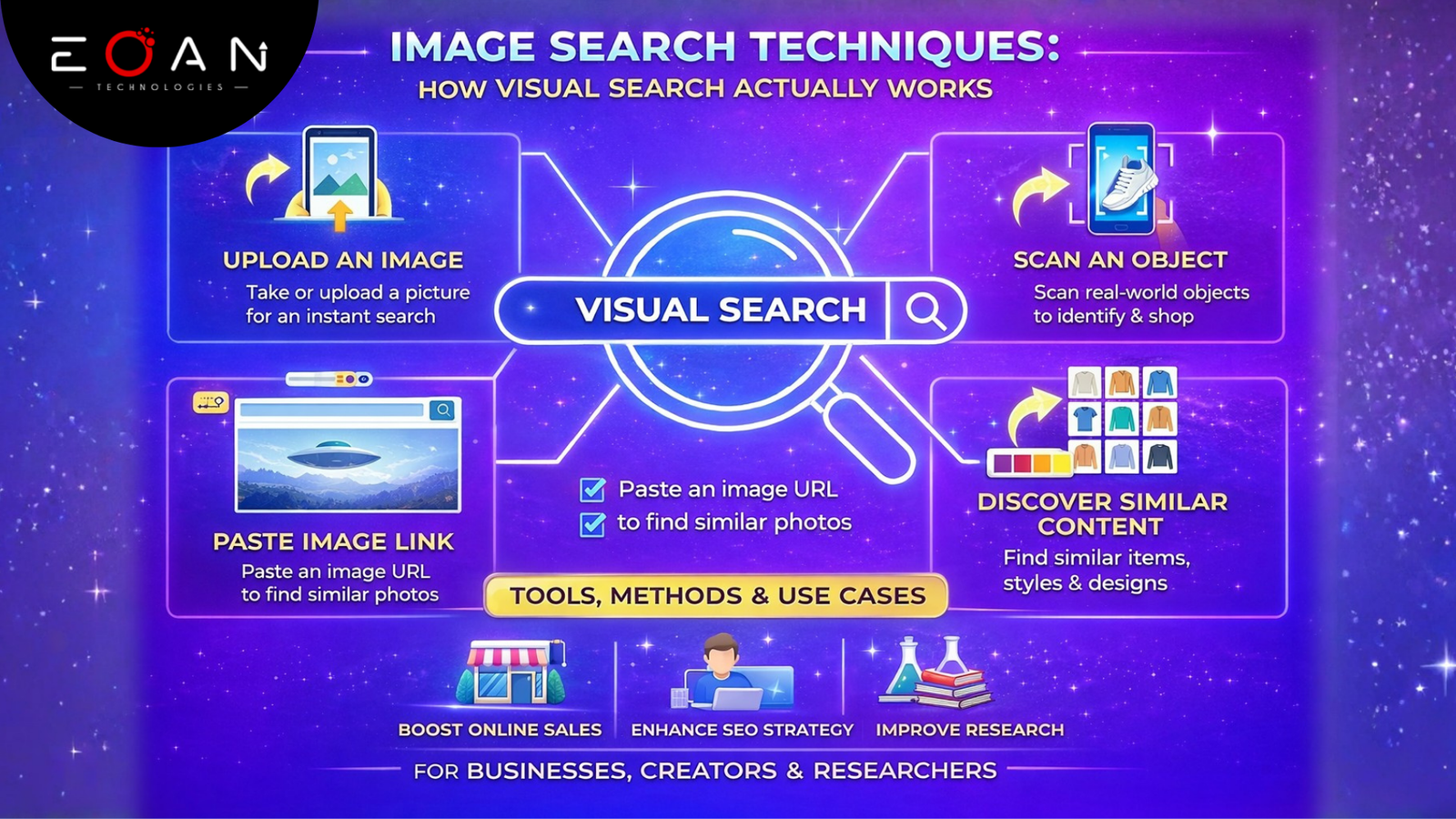
Images shape how people browse, shop, learn, and verify information online. Users no longer depend only on text to find answers. They upload pictures, scan objects, and search visually to get precise results in seconds. This shift makes image Search Techniques essential for businesses, marketers, designers, researchers, and everyday users.
Instead of guessing product names or typing vague descriptions, people now use images as search inputs. This improves accuracy, speeds up discovery, and reduces confusion. Companies that understand and apply visual search methods gain stronger visibility, better user engagement, and higher conversions.
This guide explains how image search operates, the main techniques behind it, the best tools available, and how businesses can use visual search strategically.
What Image Search Really Means
Image search allows users to find information using images rather than text. A user can upload a photo, paste an image URL, or scan an object through a camera. The system then analyzes the visual content and retrieves matching or similar results.
People use image search to:
- Identify unknown objects
- Find product details and prices
- Verify image authenticity
- Track stolen or reused visuals
- Discover similar designs or styles
Ecommerce brands, media houses, academic researchers, and creative professionals actively rely on image search to improve decision-making and reduce errors.
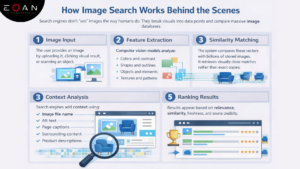
How Image Search Works Behind the Scenes
Search engines do not “see” images the way humans do. They break visuals into data points and compare them against massive image databases.
Step 1. Image Input
The user provides an image by uploading it, clicking a visual result, or scanning an object.
Step 2. Feature Extraction
Computer vision models analyze:
- Colors and contrast
- Shapes and outlines
- Objects and elements
- Textures and patterns
These features convert into numerical vectors that represent the image.
Step 3. Similarity Matching
The system compares these vectors with billions of stored images. It retrieves visually close matches rather than exact copies.
Step 4. Context Analysis
Search engines add context using:
- Image file names
- Alt text
- Page captions
- Surrounding content
- Product descriptions
This step connects visuals with meaning.
Step 5. Ranking Results
Results appear based on relevance, similarity, freshness, and source credibility.
Why Image Search Matters for Businesses and SEO
Smart visual search strategies strengthen online visibility. When businesses optimize visuals correctly, they attract more organic traffic.
Key SEO benefits include:
- Better ranking in Google Images
- Higher click-through rates
- Improved product discovery
- Stronger brand recognition
- Lower bounce rates
For ecommerce brands, clear product images directly impact sales. Customers trust visuals before they trust descriptions.
Essential Techniques for Smarter Visual Search
Different goals require different visual search methods. Each technique serves a specific purpose.
1. Keyword-Based Image Search
Users type words like “modern wooden chair” or “minimalist logo design.” Search engines rely on metadata such as alt text, captions, and filenames to display results.
This method works best for:
- Stock photos
- Illustrations
- Concept visuals
- Educational images
Businesses should optimize image descriptions to appear in these results.
2. Reverse Image Search
This technique lets users upload an image instead of typing text.
People use reverse search to:
- Find original image sources
- Detect plagiarism
- Verify authenticity
- Identify fake or edited photos
Journalists, photographers, and brand managers frequently apply this method to track image misuse.
3. Visual Similarity Search
Instead of finding identical images, this approach finds visuals with similar styles, colors, or structures.
Industries that use this heavily:
- Fashion
- Interior design
- Product design
- Online retail
A user can upload a dress photo and instantly see similar outfits from different brands.
4. Color and Pattern-Based Search
Designers and marketers use this technique to match brand aesthetics.
Many platforms allow users to filter results by:
- Dominant color
- Gradient style
- Contrast level
- Texture patterns
This helps maintain consistent branding across campaigns.
5. Object and Facial Recognition
Advanced systems can detect faces, logos, text, and landmarks inside images.
Applications include:
- Security and verification
- Social media tagging
- Brand monitoring
- Fraud detection
These techniques make the search more intelligent and precise.
Choosing the Right Image Search Method
Use the following guide based on your goal:
| Goal | Best Technique |
| General inspiration | Keyword search |
| Verify image source | Reverse search |
| Find similar products | Visual similarity |
| Match brand colors | Color-based search |
| Identify objects or faces | Recognition search |
Combining multiple techniques delivers stronger results.
Best Tools for Image Search
Google Images
Fast, reliable, and widely used for both text and reverse image searches.
TinEye
Excellent for finding original image sources and tracking modifications.
Bing Visual Search
Strong in object recognition and product discovery.
Pinterest Lens
Best for fashion, décor, and lifestyle inspiration.
Yandex Images
Powerful for facial recognition and secondary verification.
Each tool offers unique strengths depending on user needs.
Smart Practices for Effective Image Searching
To improve accuracy:
- Use high-resolution images
- Avoid heavy cropping
- Try multiple platforms
- Apply filters like size and color
- Check licensing before reuse
Clear visuals always outperform blurry ones.
Common Mistakes Users Make
Many people weaken their search results by:
- Uploading low-quality images
- Using only one search engine
- Ignoring image rights
- Adding too many vague keywords
Simple, focused searches produce cleaner outcomes.
How Eoan Technologies Uses Image Search Techniques
At Eoan Technologies, visual search plays a major role in:
- AI-powered recognition systems
- Ecommerce analytics
- Digital marketing insights
- Automated image tagging
- Content verification tools
We build intelligent solutions that help brands analyze, organize, and retrieve images at scale.
Our systems combine computer vision, machine learning, and structured data to improve accuracy and speed.
Real-World Applications of Image Search
Industries using visual search techniques include:
- Ecommerce: Product discovery and comparison
- Journalism: Fact-checking and verification
- Education: Visual learning and research
- Marketing: Brand tracking and competitor analysis
- Security: Identity verification and monitoring
- Design: Creative inspiration and prototyping
Visual search reduces guesswork and improves efficiency.
The Future of Image Search
Next-generation image search techniques will integrate with:
- Augmented reality
- Wearable devices
- Live camera search
- AI-driven personalization
Systems will understand context, emotions, and intent more deeply.
Privacy and ethical usage will remain critical as technology advances.
Final Thoughts
Visual search techniques have reshaped how users interact with visual content. They make discovery faster, verification stronger, and decision-making more precise.
Businesses that invest in optimized visuals and intelligent search tools gain a real advantage in visibility, engagement, and conversions.
By applying effective image search techniques, brands can improve search performance, build trust, and deliver a more seamless user experience across platforms.
If you want to implement advanced visual search solutions, automate recognition systems, or improve your image SEO strategy, partner with Eoan Technologies. Let us help you turn your images into measurable growth for your business.
Frequently Asked Questions (FAQs)
1. What are image search techniques?
Image search techniques enable users to find information using images rather than text. These methods include reverse search, visual similarity search, and object recognition.
2. How does reverse image search help businesses?
It helps track image misuse, detect plagiarism, verify authenticity, and monitor brand usage across the web.
3. Why is image optimization important for SEO?
Optimized images rank higher in Google Images, attract more traffic, and improve user engagement.
4. Which tool is best for image search?
Google Images works best for general searches, while TinEye excels at source tracking and verification.
5. Can image search identify fake photos?
Yes. Reverse image search and metadata analysis help detect manipulated or misleading images.